
Short Summary
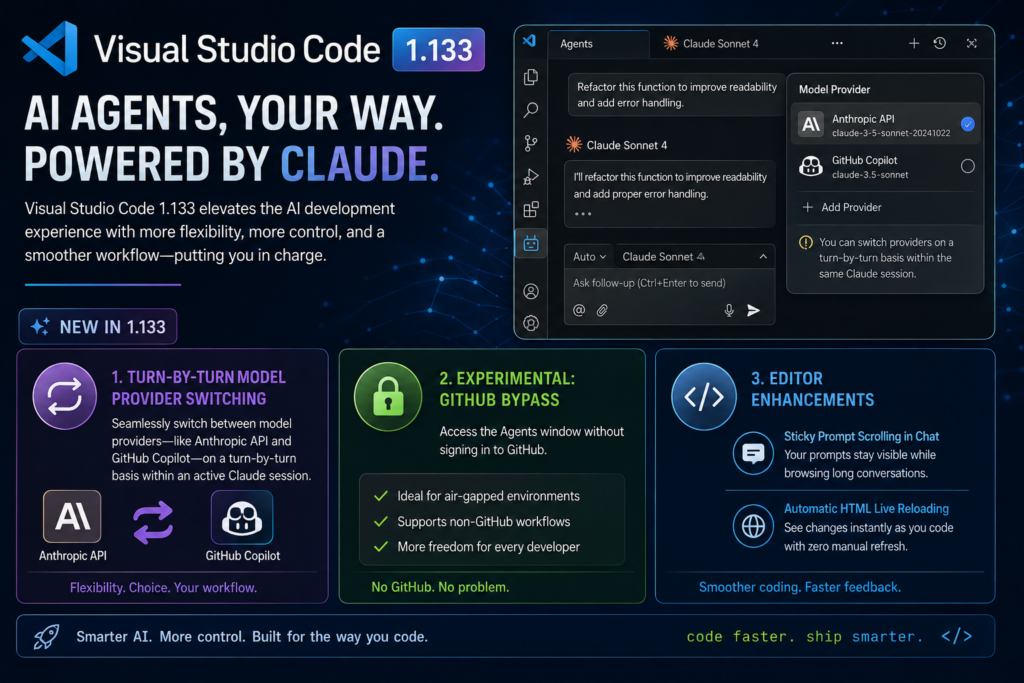
Visual Studio Code version 1.133 introduces notable enhancements to its AI agent architecture, placing Anthropic’s Claude at the center of developer workflows. The update allows engineers to seamlessly switch model providers—such as changing between direct Anthropic API keys and GitHub Copilot subscriptions—on a turn-by-turn basis within an active Claude session. Furthermore, an experimental bypass allows developers to access the Agents window without authenticating through GitHub, accommodating air-gapped systems and non-GitHub workflows. Additional editor enhancements include sticky prompt scrolling in chat and automatic HTML live reloading.
Introduction
Artificial intelligence code assistance has evolved rapidly from basic single-line autocomplete into fully autonomous software engineering agents. At the heart of this transformation is Microsoft’s Visual Studio Code (VS Code), which continues to refine how software developers interact with AI models directly within their integrated development environment (IDE).
In the August 12 release of VS Code version 1.133, Microsoft doubled down on enhancing multi-model flexibility. Rather than locking software developers into a single AI ecosystem or authentication pathway, the latest update elevates Anthropic’s Claude with deeper integration capabilities. Developers can now route prompts through different model infrastructure providers mid-conversation and launch AI agent workflows without a mandatory GitHub login. This move sheds light on Microsoft’s broader strategy for open agent harnesses and highlights how modern IDEs are adapting to accommodate heterogeneous AI toolchains.
What Happened?
The release of VS Code 1.133 brings two primary feature updates aimed specifically at improving Claude agent sessions:
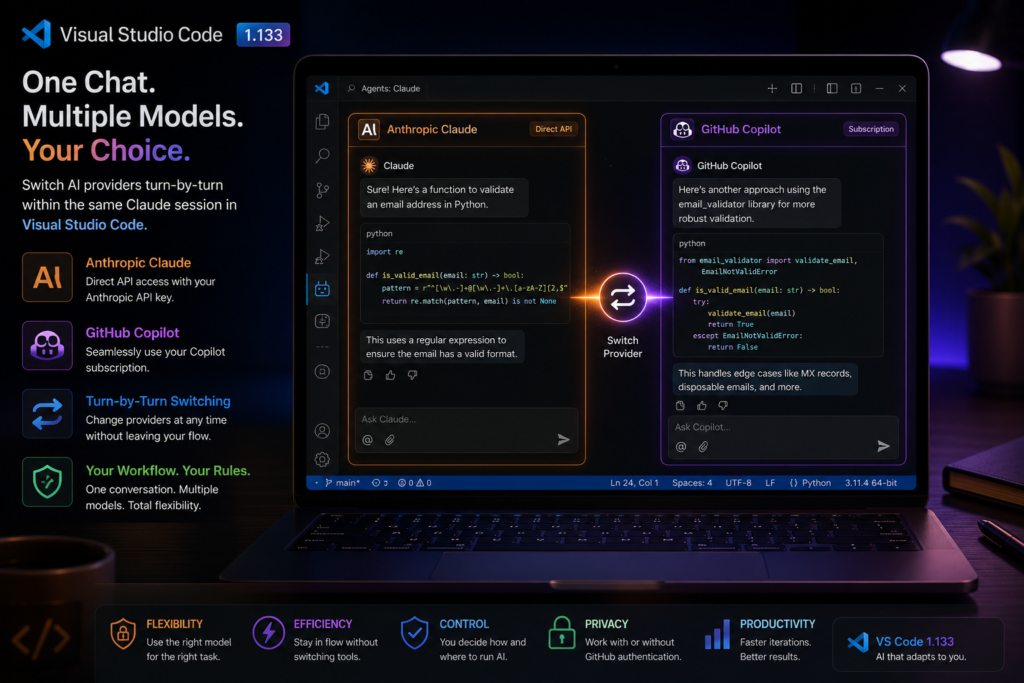
First, the editor’s built-in model selector now unifies Anthropic-native models and GitHub Copilot-routed models into a single combined picker. Previously, running a Claude session required developers to commit entirely to one infrastructure path—either leveraging a paid GitHub Copilot subscription or feeding direct API credentials to Anthropic. Switching between these billing and routing paths required stopping the session and reconfiguring the underlying agent host. Under version 1.133, developers can toggle between providers turn-by-turn. Prompts directed to Anthropic models bill directly to the developer’s API key, whereas prompts selected under the Copilot banner draw from their Copilot subscription tier.
Second, Microsoft introduced an experimental configuration option (chat.agentHost.allowSignedOutWhenUsable) that eliminates the strict GitHub sign-in requirement when launching the Agents window. Historically, opening the agent interface triggered an un-dismissable GitHub authentication prompt. This posed a bottleneck for developers working on secure internal networks without access to github.com, as well as programmers who rely strictly on independent Anthropic API keys. With this setting enabled, developers with configured Claude credentials can launch and use the Agents window fully offline relative to GitHub.
Outside of AI agent enhancements, the 1.133 release introduces sticky scroll functionality for chat history (pinning the active prompt to the top during long scrolling sessions) and automatic hot-reloading for local HTML previews inside the integrated browser.
Why It Matters
For months, industry observers have noted a fascinating dynamic within Microsoft’s developer ecosystem: despite owning GitHub and partnering closely with OpenAI, Microsoft has repeatedly extended tailored, specialized support to Anthropic’s Claude models inside VS Code. Recent releases have sequentially introduced support for Claude-specific workspace rules (such as CLAUDE.md), dedicated sub-agent capabilities, and autonomous permission execution modes.
This release reinforces that trend while offering pragmatism to modern engineering teams. Software engineering teams rarely use a single AI provider exclusively. A developer might prefer using a corporate GitHub Copilot subscription for everyday code generation to keep operational costs predictable, but switch to a direct Anthropic Claude API connection when tackling complex refactoring or multi-file reasoning tasks that benefit from Claude’s distinct context handling.
By removing artificial friction between these subscription channels, Microsoft acknowledges that developers want freedom of choice. Furthermore, enabling signed-out access for the Agents window demonstrates an understanding of strict corporate enterprise environments where third-party repository sign-ins are restricted due to compliance and security policies.
Technical Explanation
To appreciate how these changes operate under the hood, it helps to understand VS Code’s Agent Host Architecture.
+-------------------------------------------------------------------+
|                        VS CODE USER INTERFACE                     |
|           (Unified Model Picker / Chat & Agents Window)           |
+-------------------------------------------------------------------+
                                  |
                                  v
+-------------------------------------------------------------------+
|                      VS CODE AGENT HOST (AHP)                     |
|     (Dedicated background process isolating AI agent execution)   |
+-------------------------------------------------------------------+
        |                                           |
        v                                           v
+-----------------------+               +-----------------------+
|   ANTHROPIC AGENT SDK |               |      COPILOT SDK      |
|  (Direct API Keys &   |               |  (GitHub Subscription |
|  Claude Native Rules) |               |   Authentication)     |
+-----------------------+               +-----------------------+
Traditionally, IDE extensions ran directly alongside the main editor thread or within a simple extension host. Modern AI agents, however, perform complex tasks: reading workspace files, running terminal commands, creating sub-agents, and continuously streaming telemetry.
To manage this safely, Microsoft created the Agent Host Protocol (AHP), running agents in an isolated background process. The Agent Host interfaces with specialized Software Development Kits (SDKs) tailored to specific AI models:
- Claude Sessions utilize Anthropic’s official Claude Agent SDK directly, unlocking support for native file configurations like
.claude/rulesand.claude/skills. - Copilot Sessions route through GitHub’s Copilot SDK.
Because different Large Language Models (LLMs) respond differently to prompt formatting, tool-calling structures, and editing instructions, Microsoft maintains model-specific engineering harnesses. In VS Code 1.133, the editor acts as a dynamic router over the Agent Host. When a developer submits a prompt, VS Code inspects the active provider selection in the model dropdown, packages the context according to that provider’s SDK requirements, and routes the request without resetting the conversation state.
Key Highlights
- Mid-Session Provider Switching: Change between Anthropic API billing and GitHub Copilot subscriptions seamlessly turn-by-turn during active Claude conversations.
- GitHub-Free Agents Window: Experimental setting (
chat.agentHost.allowSignedOutWhenUsable) allows developers to access the Agents window using local Claude keys without authenticating on GitHub. - Claude-First Agent Host Features: Claude remains the first third-party model to receive full signed-out Agent Host capability and native SDK integration in VS Code.
- Sticky Chat Headers: Keep long conversational prompts pinned to the top of the chat view for easier navigation during complex sessions.
- Live HTML Auto-Reloading: The integrated workbench browser now updates local HTML previews automatically whenever files are saved on disk.
Benefits
For Enterprise & Air-Gapped Developers
- Improved Security Compliance: Engineers working in restricted network segments or high-security financial/defense environments can leverage Claude AI tools without violating policies against connecting to external GitHub accounts.
- Granular Cost Management: Teams can optimize spend by using flat-rate GitHub Copilot subscriptions for routine tasks and reserving pay-per-token Anthropic API usage for complex architectural queries.
For Daily Developer Productivity
- Uninterrupted Workflow: Developers no longer need to close chat windows, export history, or reconfigure extension settings just to change model backends.
- Faster Feedback Loops: Real-time HTML auto-reloading inside the built-in browser speeds up frontend development when testing web components generated by AI agents.
Challenges
Despite these improvements, navigating multi-provider agent environments introduces new operational complexities:
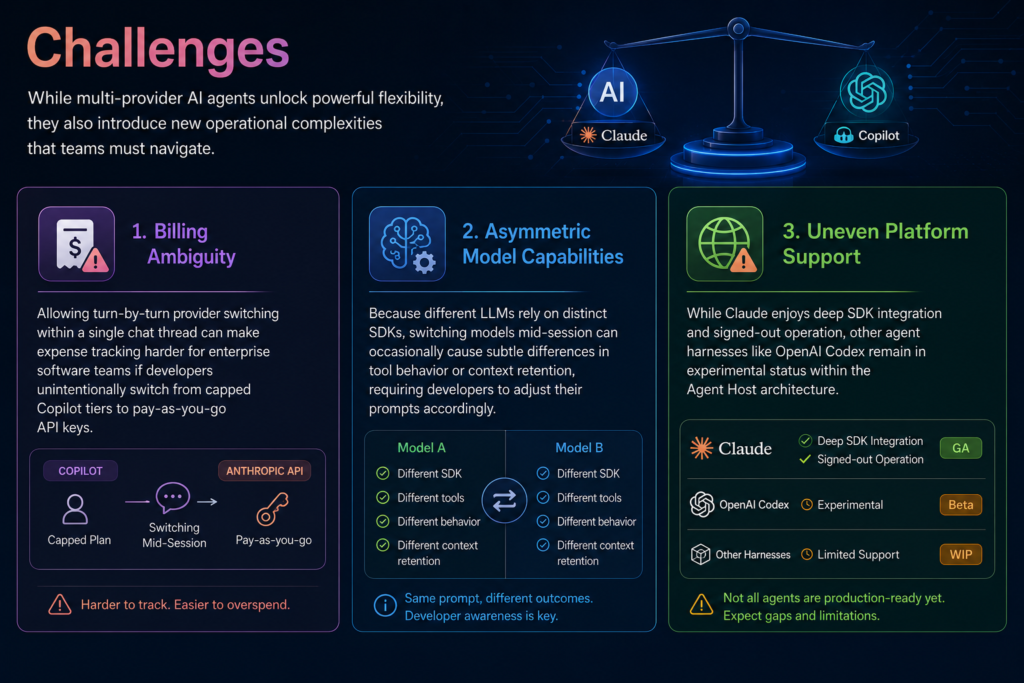
- Billing Ambiguity: Allowing turn-by-turn provider switching within a single chat thread can make expense tracking harder for enterprise software teams if developers unintentionally switch from capped Copilot tiers to pay-as-you-go API keys.
- Asymmetric Model Capabilities: Because different LLMs rely on distinct SDKs, switching models mid-session can occasionally cause subtle differences in tool behavior or context retention, requiring developers to adjust their prompts accordingly.
- Uneven Platform Support: While Claude enjoys deep SDK integration and signed-out operation, other agent harnesses like OpenAI Codex remain in experimental status within the Agent Host architecture.
Future Outlook
The release of VS Code 1.133 provides a glimpse into the future of integrated development environments. The era of rigid, single-vendor AI coding assistants is coming to an end. Instead, IDEs are morphing into neutral operating systems that orchestrate multiple autonomous AI agents.
Looking ahead, Microsoft plans to expand the signed-out Agent Host capabilities to other harnesses, including GitHub Copilot with custom keys and OpenAI Codex. As agentic standards unify under open protocols like the Agent Host Protocol (AHP), developers can expect even finer control over how AI tools access codebase contexts, run background commands, and interact with local terminal environments.
Our Analysis
Microsoft’s continuous investments in Claude support reveal a sophisticated engineering strategy. While critics might wonder why a Microsoft-owned editor spends significant engineering effort supporting a competitor to OpenAI, the technical reality is clear: software developers demand the best model for the job.
Rather than fighting model preferences, Microsoft is positioning VS Code as the indispensable control plane for software engineering. By accommodating Anthropic’s SDK natively and lowering friction for non-GitHub users, Microsoft ensures that VS Code remains the default environment for developers—regardless of which AI company leads the LLM benchmark leaderboards.
FAQ
1. What is new in VS Code 1.133 regarding Claude sessions?
VS Code 1.133 enables developers to switch between Anthropic API keys and GitHub Copilot subscriptions turn-by-turn within an active Claude session without reconfiguring settings.
2. Can I use the Agents window in VS Code without signing into GitHub?
Yes. By enabling the experimental setting chat.agentHost.allowSignedOutWhenUsable, developers with existing Claude credentials can open and use the Agents window without authenticating through GitHub.
3. How does billing work when switching providers mid-chat?
Models selected under the Anthropic group bill against the developer’s direct API key, while models selected under the Copilot group draw from the developer’s active GitHub Copilot subscription.
4. What is the VS Code Agent Host?
The Agent Host is an isolated background process in VS Code that runs AI agent harnesses (like Claude SDK or Copilot SDK) independently from the main editor interface for improved security and performance.
5. What other features were released in VS Code 1.133?
Alongside Claude updates, version 1.133 added sticky scrolling for long chat prompts and automatic reloading of local HTML preview files in the integrated browser.
Conclusion
Visual Studio Code 1.133 represents another meaningful milestone in the integration of AI agents within developer workflows. By granting developers the freedom to blend Anthropic API keys with GitHub Copilot routes and removing mandatory authentication gates, Microsoft continues to set the standard for flexible, multi-model engineering tools. Whether you are building web apps or navigating complex enterprise codebases, VS Code’s evolving agent host ensures you have the right model and provider at your fingertips.